-

/review-post なるスキルを設定してから文章を書くのが楽しくなった
Astro + Claude Code でブログを書くとき、`/review-post` というカスタムスキルを作って運用したら、文章チェックが捗って書くのがとても楽しくなった。その魅力と仕組み。
-

バッドなデザインはグッドなリマインダーになるよね、というお話
「バッドなデザインはグッドなリマインダーである」昔ブログで紹介した言葉を再録。ついでに挑戦したSeedance 2.0での動画生成の話。
-

Manusで挫折した「画像から動画」をSeedanceで試してみたらすごかった
動画生成AIをいろいろ試している中で、Manusでは画像を渡してもうまく生成できなかったものが、Seedance(Dreamina経由)だと驚くほど自然に作れた話。コストや使えなかったケースもメモ。
-

『サブスク管理』アプリのショート動画をManusで作ったお話、かかったコスト
AIで動画広告を作れる時代。自作の『サブスク管理』アプリのショート動画を、話題のAIエージェントManusで制作してみました。生成結果、気になるコストまでを公開します。
-

AI開発は並行作業&エージェント中心のUIに?満を持して登場した『Claude Code』のデスクトップ版がとても良い...
Claude Codeのデスクトップ版を試してみたら、サイドバーでの複数プロジェクト管理、アプリ内ブラウザ、デザインモード、クイック起動まで揃って体験が抜群でした。
-

周辺視野を鍛えられる?数字をタップしていくカジュアルゲーム『Tap Tap 25』をリリースしました
1から25を順番にタップしていくカジュアルゲーム『Tap Tap 25』をリリースしました。周辺視野が鍛えられると話題のあのゲームです。広告無し、完全無料で全世界配信中。
-

ダイエット・筋トレ・勉強のお供に!iPhoneアプリ『すごい習慣』をリリースしました
iPhoneの習慣化アプリ「すごい習慣」をリリース。広告なし・無料で使えるシンプルなアプリの機能紹介と、AI駆動開発での学びをまとめました。
-

【アプリ開発日誌】 行動観察調査がやっぱり大事...
アプリ申請前にユーザーテストを実施したら辛辣なフィードバックの嵐。行動観察調査の大切さを痛感した一週間の開発日誌。cmuxやCodexなど気になるツールの話題も。
-
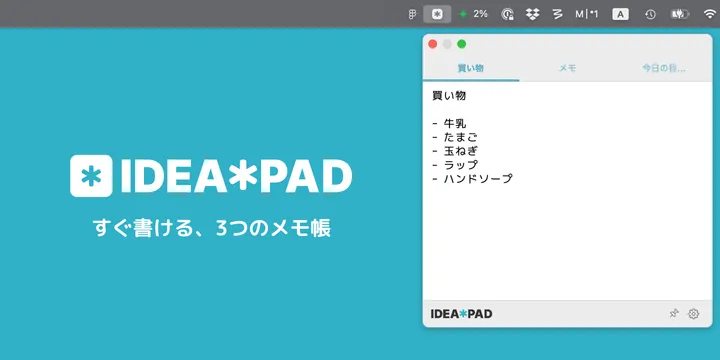
【macOS/iOS】 メニューバーに常駐する3ページ限定のメモアプリ、『IDEA*PAD』をリリースしました
メニューバーに常駐する3ページ限定のシンプルなメモアプリ「IDEA*PAD」をmacOS/iOS向けにリリースしました。iCloud同期対応、無料で利用可能です。
-

【アプリ開発日誌】 Apple AdsのマーケティングをGitHub Actionsで自動化した
Apple Ads APIの発見からGitHub Actionsでのマーケティング自動化まで。App Store審査の遅延対策やGhosttyへの移行など、今週の開発トピックをまとめました。
-

【アプリ開発日誌】 AIでデジタルマーケティング実践中、PencilやZellijを導入などなど
AIによるApple Ads運用の実践レポート、UIデザインツールPencilの導入、Claude Hooksでの音声通知設定、tmuxからZellijへの移行など、今週のアプリ開発まわりの近況まとめ。
-

【アプリ開発日誌】 ときどき日記、サブスク管理...などなど、最近の開発状況まとめ
アプリ開発日誌を週刊化。ときどき日記、サブスク管理、韓国語タイピングなど、現在開発・運用中のアプリをまとめてご紹介します。
-

【2026年2月版】 最小構成ではじめるOpenClawセットアップガイド(HOSTINGER + Discord)
OpenClawをHOSTINGERのVPSにデプロイしてDiscordボットとして動かすまでの手順を日本語でまとめました。最小構成で月1,500円ほどから始められます。
-
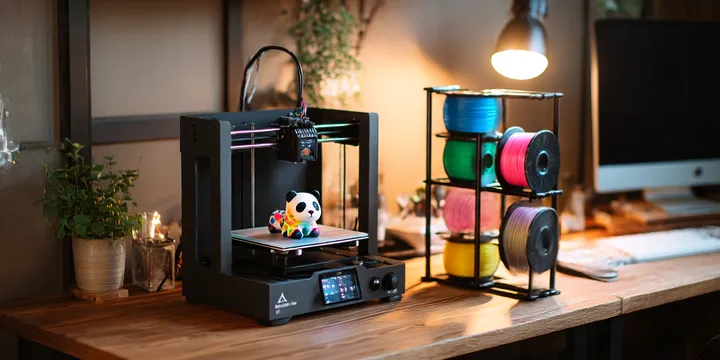
Bambu Lab A1 mini + AMS 2 Pro + BIQU Panda Stackで、快適3Dプリンター生活を始める方法
Bambu Lab A1 miniにAMS 2 ProとBIQU Panda Stackを導入。購入先の選び方から組み立て、接続、多色印刷テストまでの手順をまとめました。
-

シリコンバレーの注目スタートアップランキングを毎朝配信!『Product Hunt Pickups』を作ってみた
Product Huntの注目プロダクトをAI要約付きで毎朝お届けするWebサービスを作りました。
-
macOS用のClaudeUsageBarがやっぱり便利
Claudeの使用率をmacOSメニューバーに常時表示できるClaudeUsageBarの紹介と設定方法。
-

AeroSpaceを使い始めた人向けのTips集
macOS用のウィンドウマネージャ、AeroSpaceの便利Tips集です